A diary opened in sessions
Clinic sessions, sessions for one service and prescribers’ own slots, with time off and clinic closures. Bookings pack around what is already booked.
Five connected apps
Patients, prescribers, your clinic team and your pharmacy each get their own app. Patients see your brand, and all five share one record.
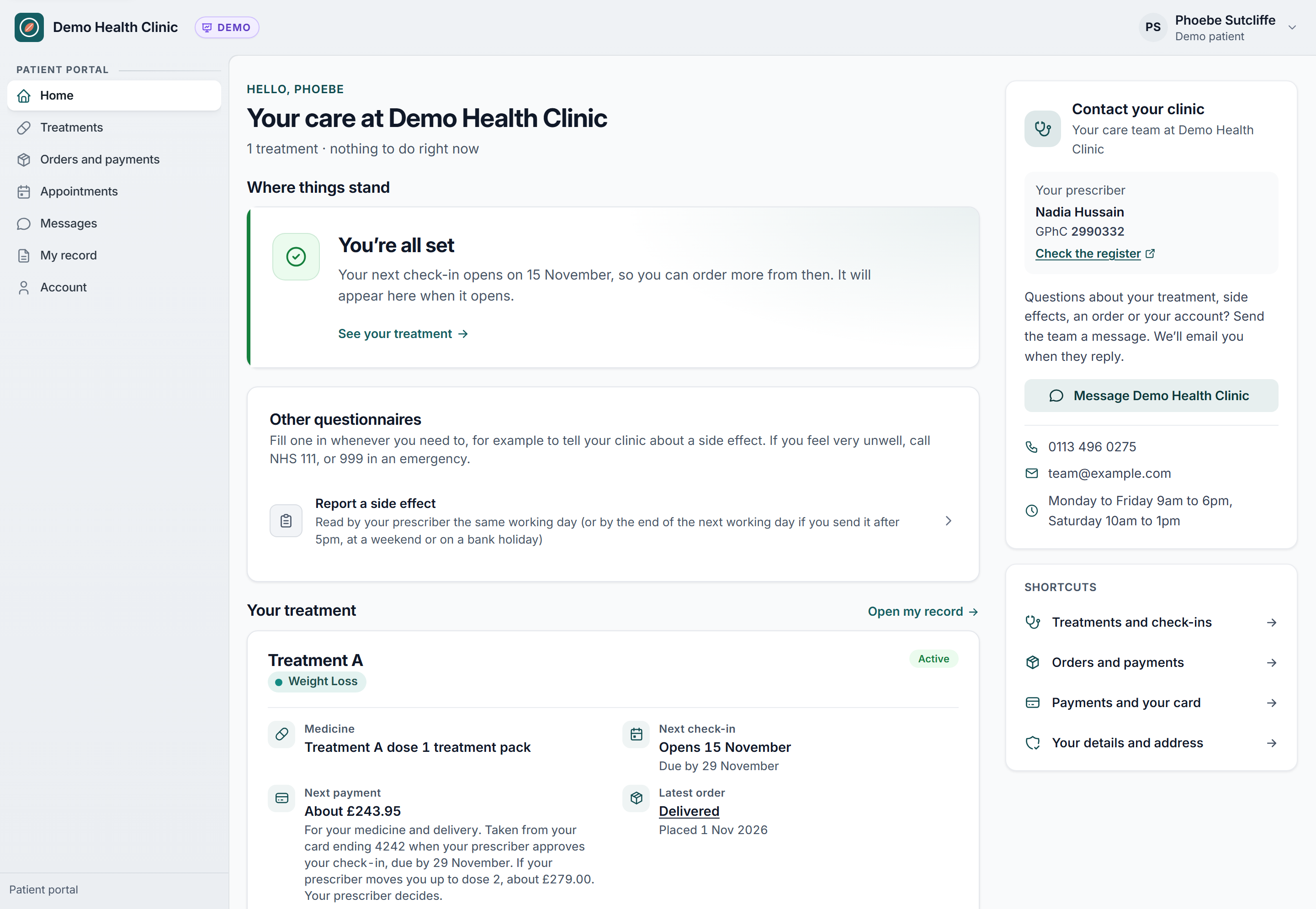
01Patient app
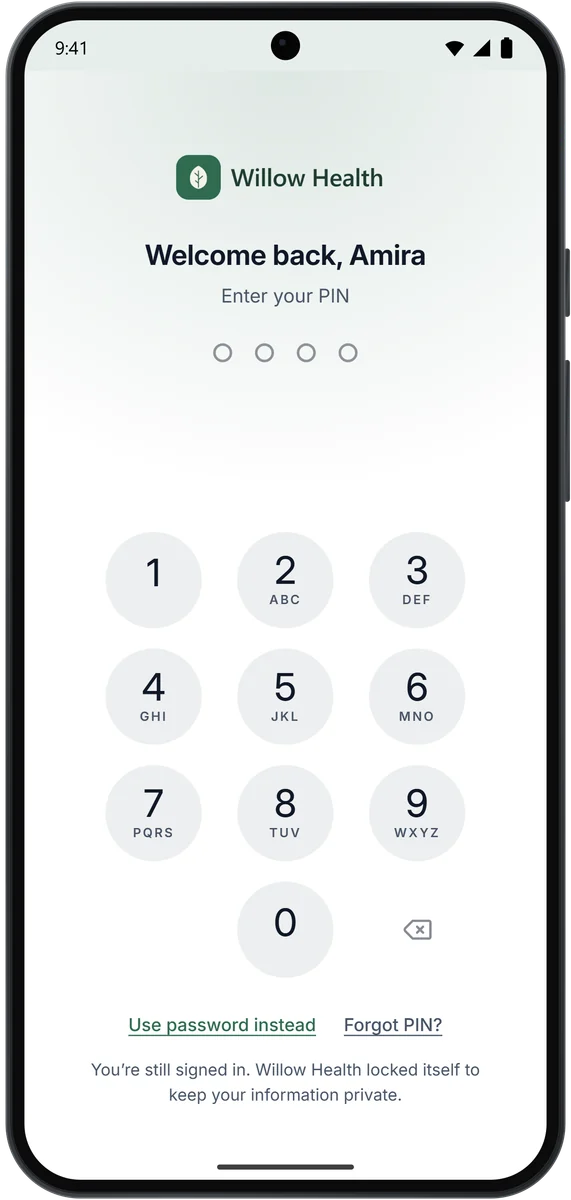
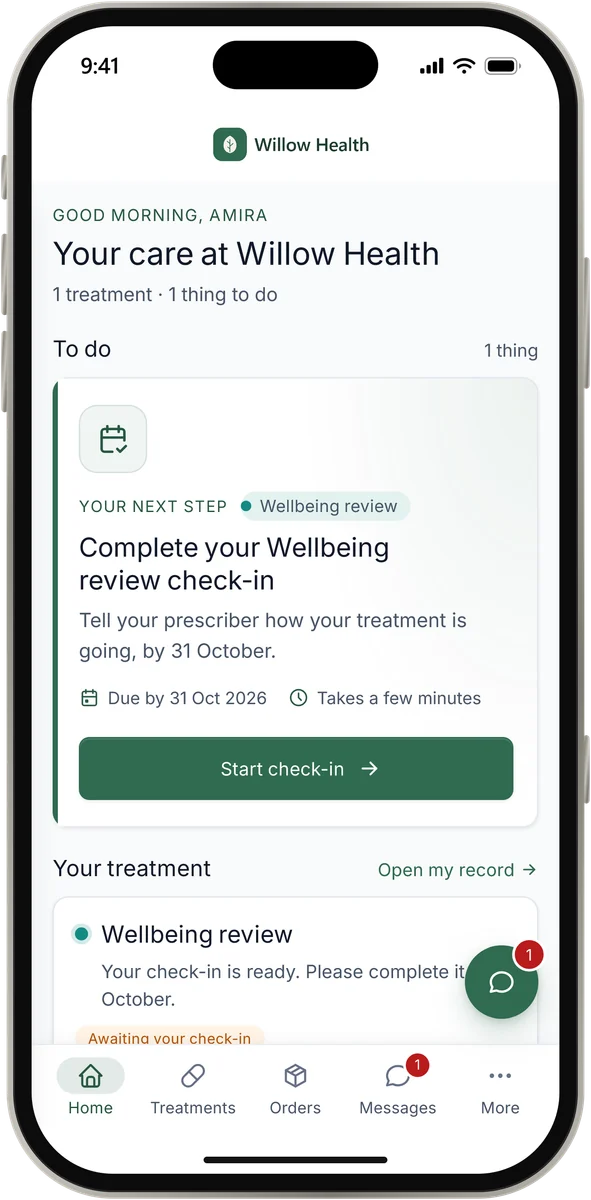
Your portal, installed on the patient’s phone as your app. No app store and no extra cost.
02Patient portal
Assessments, orders, appointments and messages, at your clinic’s own address.
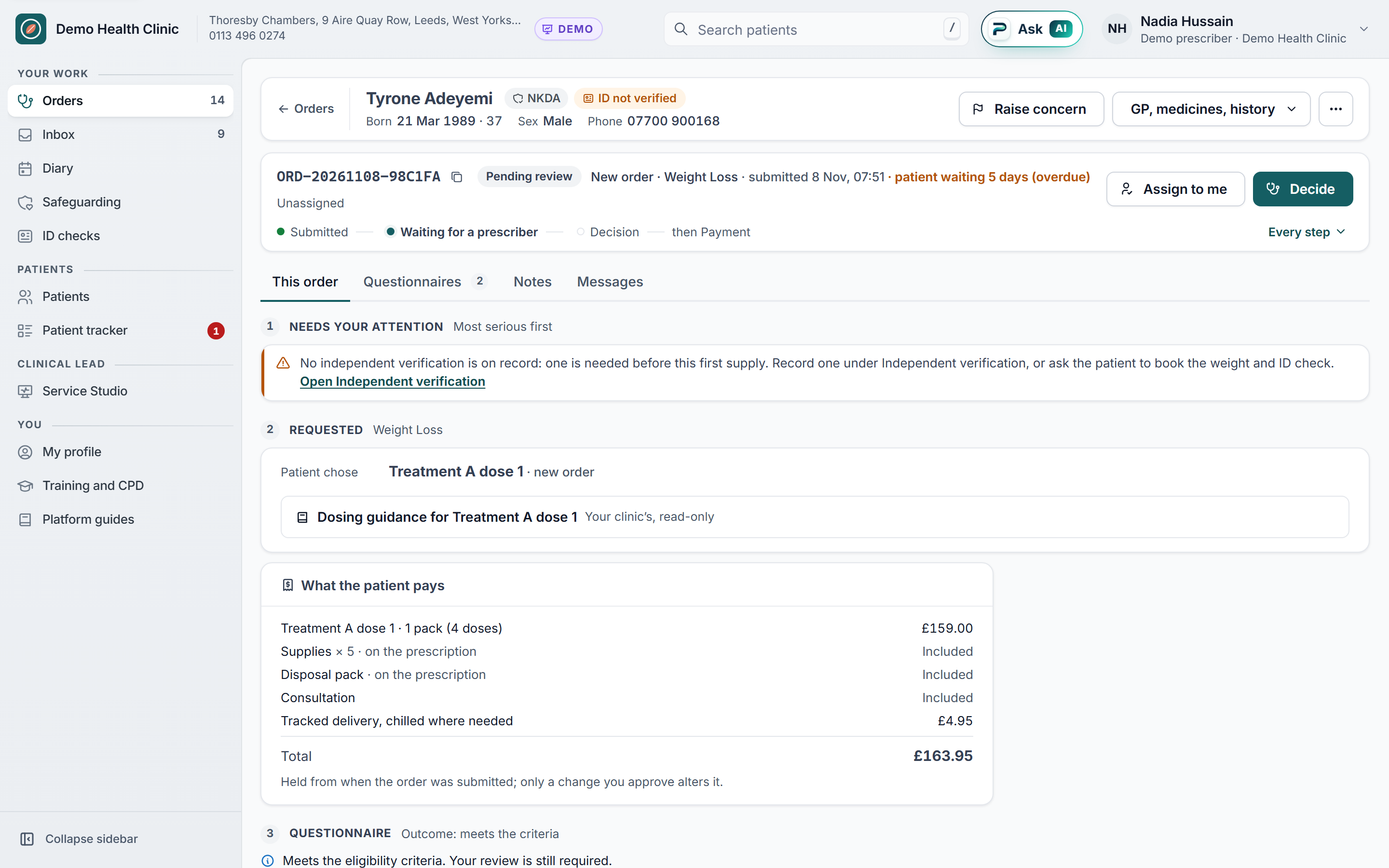
03Prescriber
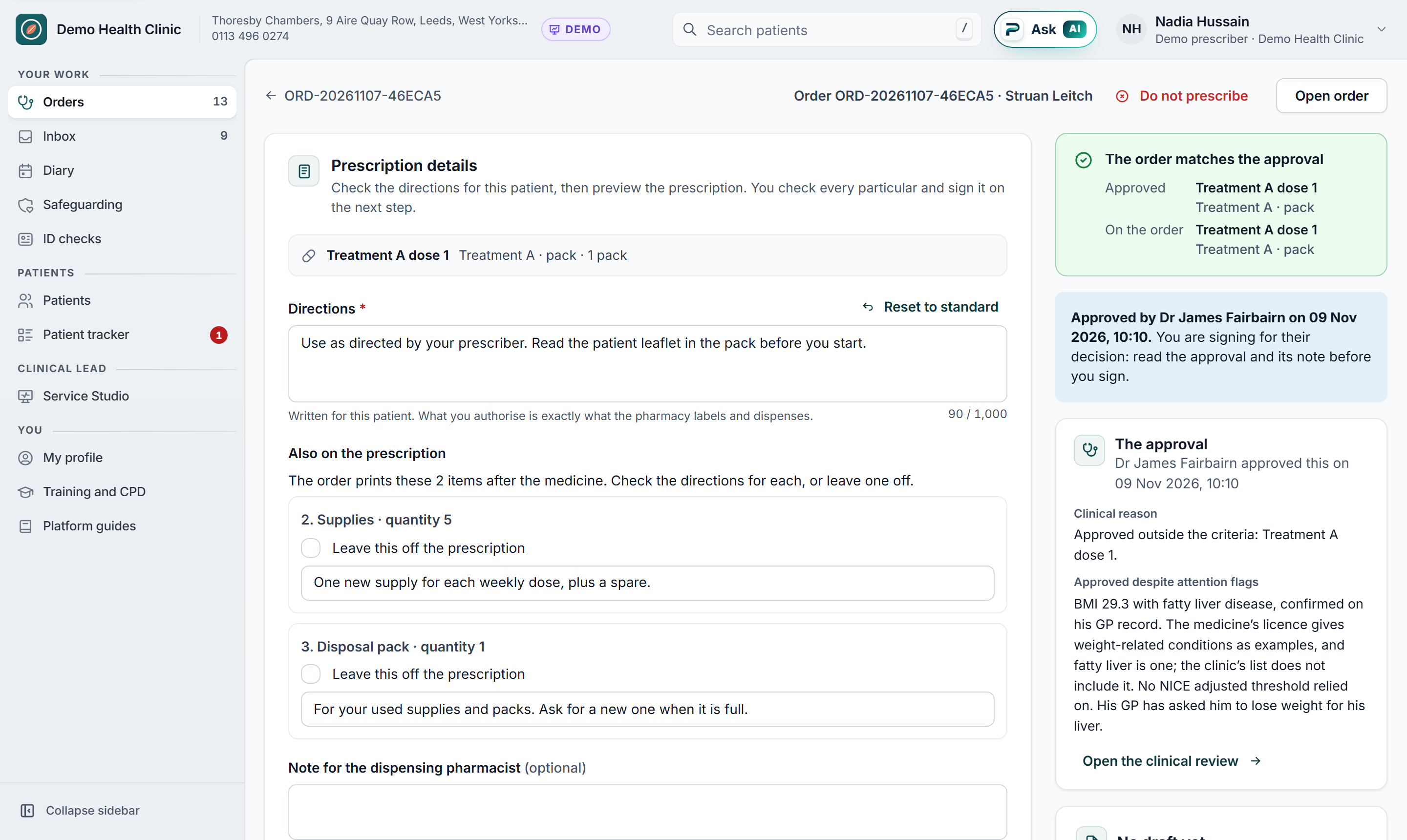
A queue of orders by stage, and everything needed to decide one on a single page.
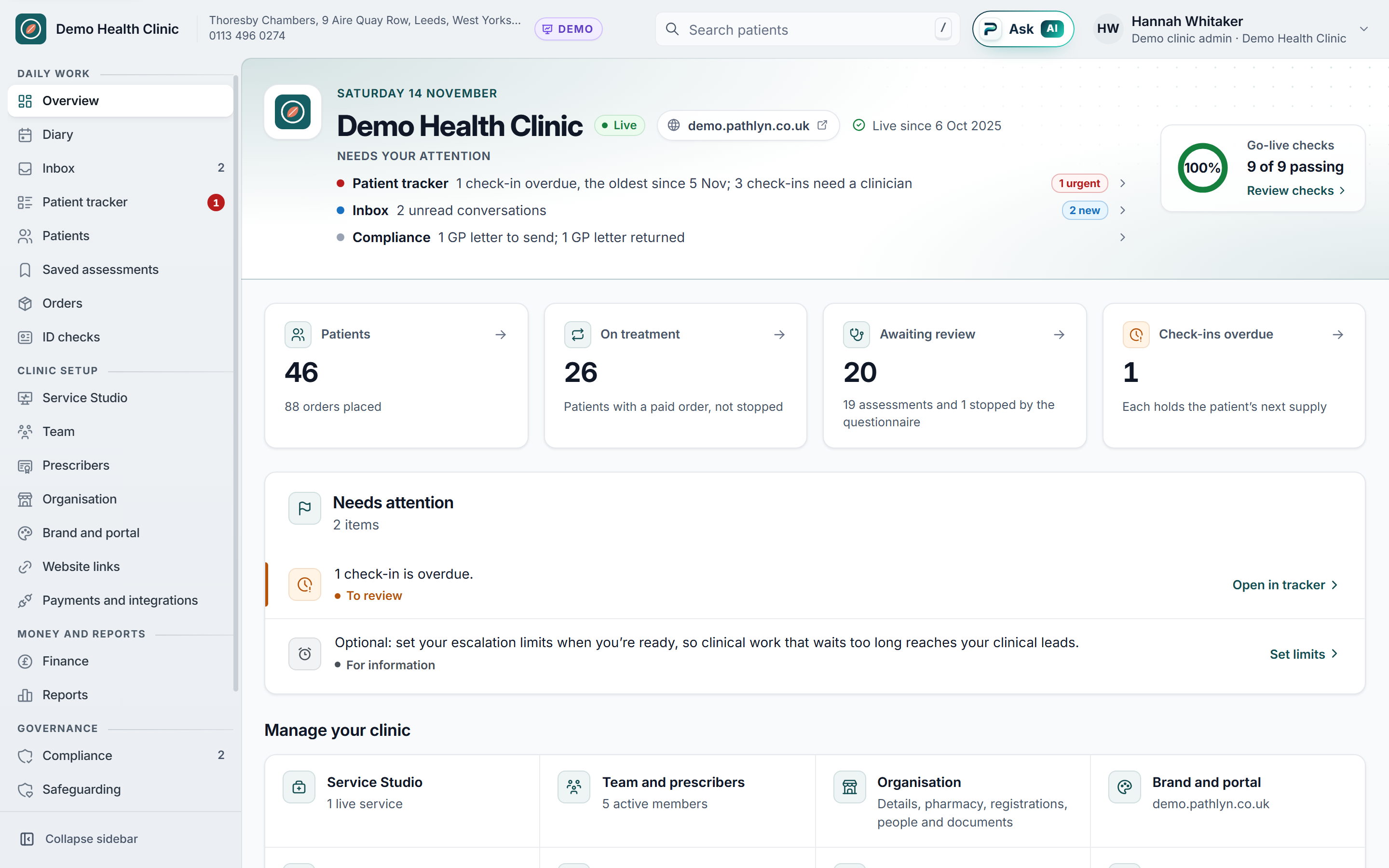
04Clinic portal
What needs your team today, your patients, services, people, money and reports.
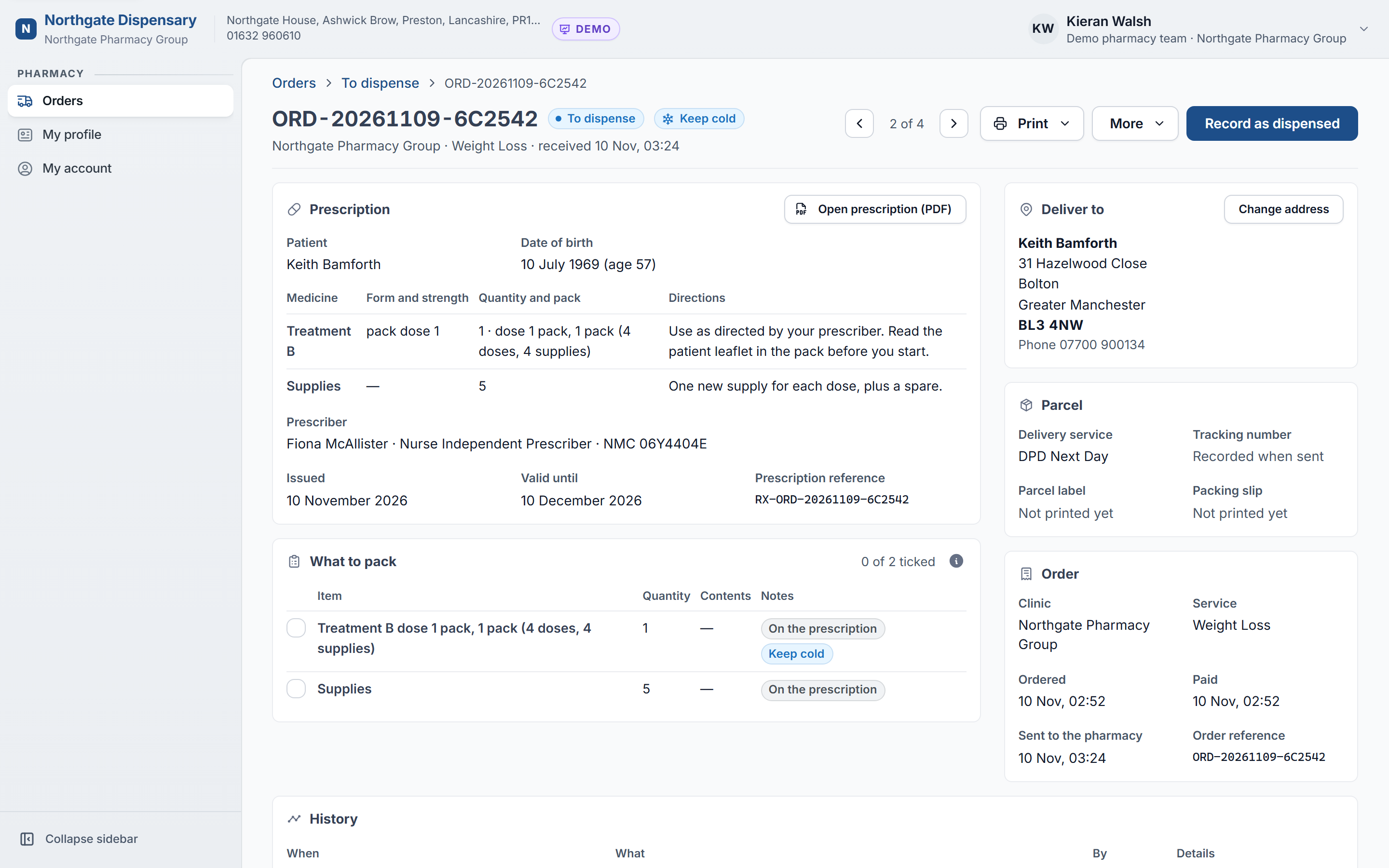
05Pharmacy portal
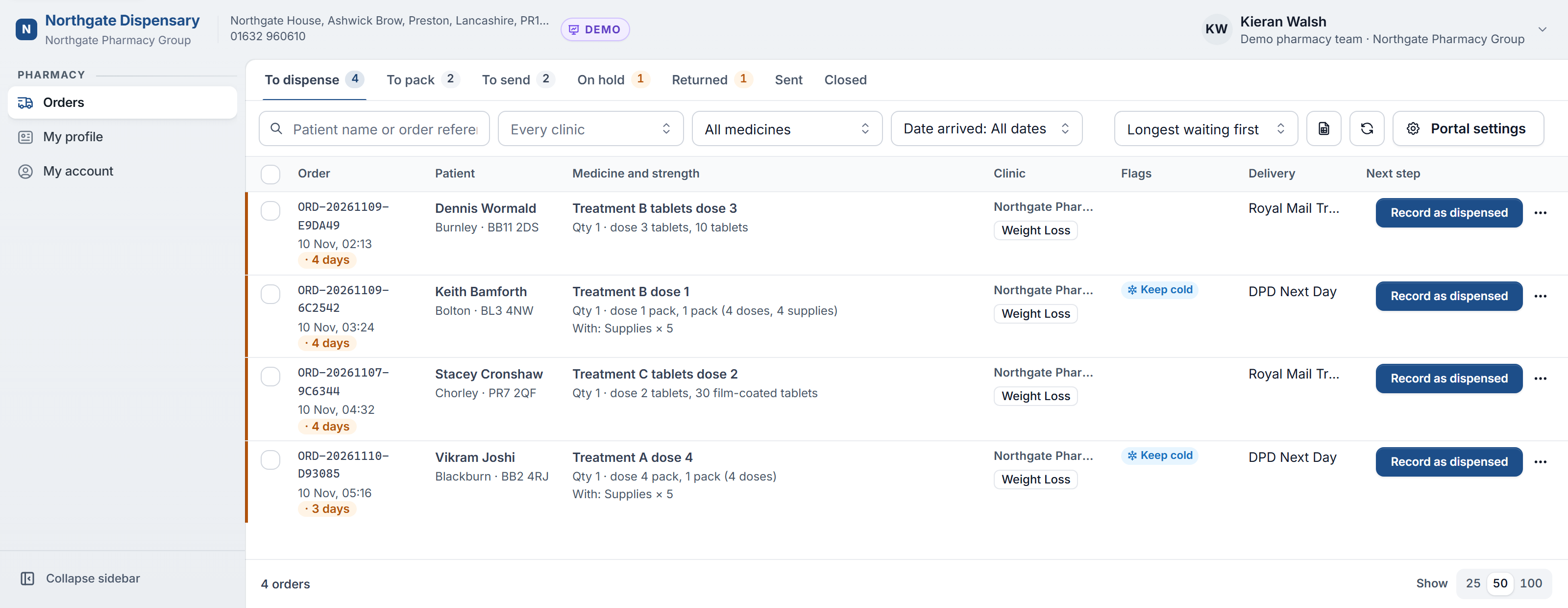
The pharmacy dispenses, packs and sends your orders, with its own carrier or Pathlyn’s labels, and the tracking comes back to the order.
One order, one record
Tracking comes back to the patient
Architecture
Every part reads and writes your clinic’s one record, so a decision, a payment and a dispatch are one story, not three systems to reconcile.
Patient experience
Your branded questionnaires, and each patient’s treatment, orders and account, in your clinic’s portal.
Clinical workflow
Prescribers’ review queues with flagged answers first, consultation notes, and decisions that can’t be edited.
Prescribing
Prescriptions the prescriber signs with their own key, as a step of its own.
Payments
Checkout into your own Stripe account, after approval or at submission, with refunds and failed payments handled for you.
Fulfilment
Each signed order sent once to the Pathlyn pharmacy network or your own pharmacy, whose Pharmacy portal posts it with its own carrier or Pathlyn’s labels, with any problem in one place.
Subscriptions
Check-ins before each repeat supply, plans, and automatic renewals for patients who agree to them.
Communications
An email at each step of the order, in your clinic’s name and your own words, never carrying clinical details.
Reporting
Queues for anything that needs a person, and your clinic’s counts of enrolments, decisions, orders and follow-ups.
Diary and consultations
Clinic diary sessions, booking in the patient portal, video or phone consultations inside Pathlyn, reminders and no-shows.
Clinical record
HL7 FHIR R4 resources in a separate record store for each organisation, with medicines catalogued from NHS dm+d.
Branded portal
Your portal for patients and staff, in your brand, at your own Pathlyn-hosted address (customer-owned domains are not offered).
Help for your team
Platform guides for each role. Pathlyn Assistant answers your team’s questions about using Pathlyn from those guides, with the guide each answer comes from, and shows your clinic’s own figures and the reasons behind a status, worked out by Pathlyn. Your patients’ records and your clinic’s data are never sent to the AI. Ask Pathlyn sends a question to Pathlyn’s team from the console.
Prescriber training
Ready to prescribe, service by service, a CPD log for each prescriber, and, from Q1 2027, Pathlyn Academy courses for the services you choose, whose passes record themselves.
Inspection evidence
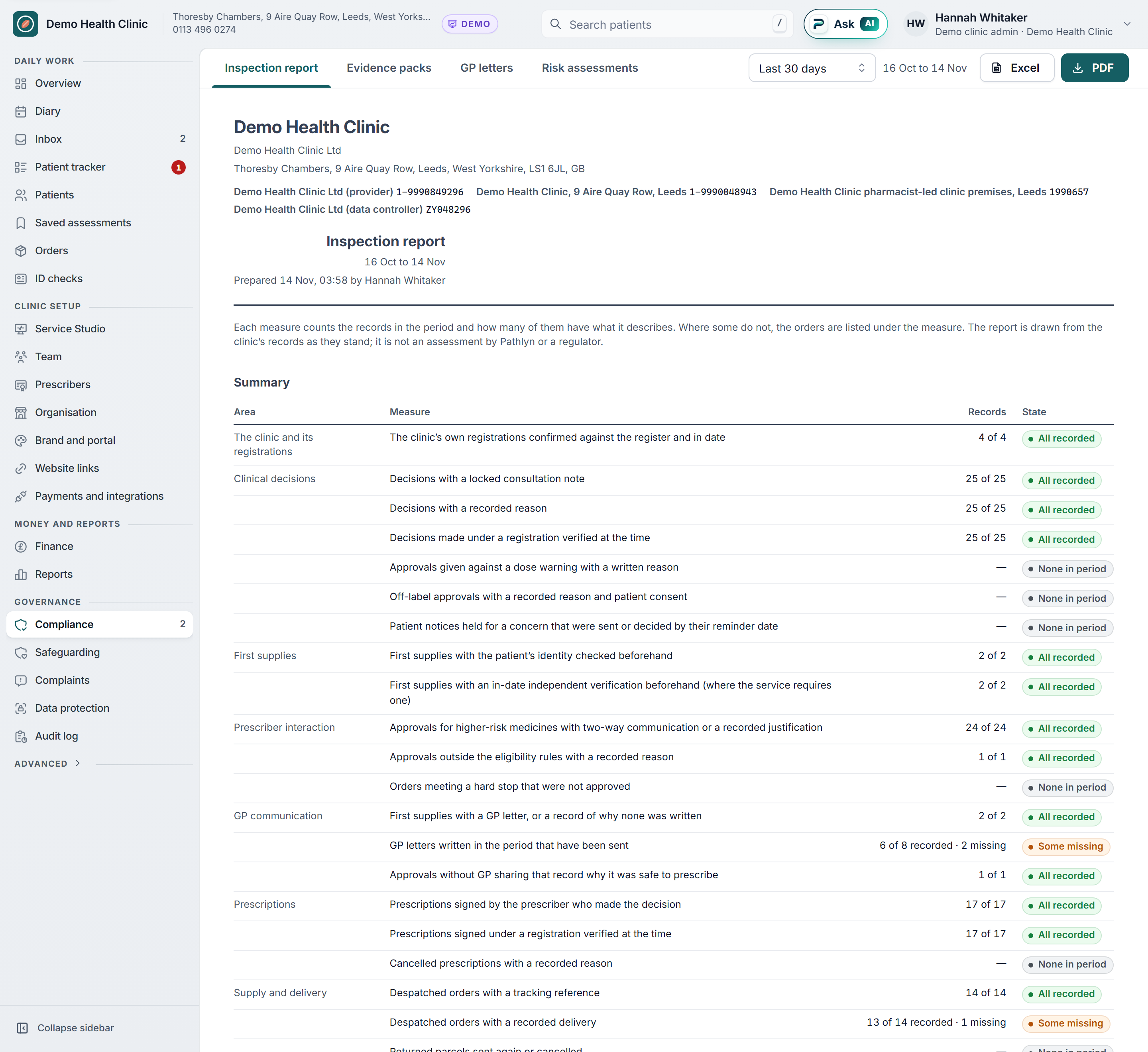
An inspection report for any period up to a year, a one-PDF evidence pack for any order and a signed-off risk assessment for every service.
Data protection
A Data protection area where your clinic answers patients’ requests, soonest due first, and Your data rights in each patient’s account.
Partner API and webhooks
Your own systems reach your Pathlyn data through a partner API with scoped, expiring keys, and receive signed webhooks for order and payment events.
Three jobs, one system
01 · Engage patients
02 · Govern prescribing
03 · Run the business
Clinic diary and consultations
No separate calendar product, no video account for the clinic and nothing for the patient to download. Clinic admins open the diary, patients book in the clinic’s portal, and prescribers run video or phone consultations from a Today and Week diary.
A diary opened in sessions
Clinic sessions, sessions for one service and prescribers’ own slots, with time off and clinic closures. Bookings pack around what is already booked.
Booking in the clinic’s own portal
Patients see free times in UK time, straight after the assessment, from an invitation or at any time, and change or cancel online within the clinic’s rules.
Ask a patient to book
A prescriber sends an invitation by portal message and email: video, phone or the patient’s choice, within the dates they set.
Video or phone, run inside Pathlyn
Secure video in the browser with nothing to download: a waiting room, then the call beside the patient’s summary. Calls are never recorded.
Weight and ID check by video
Patients book it in your portal. Where a service needs an independent verification before a first supply, a passed check records it, and nothing is approved, prescribed or sent until one is recorded.
On the chart and the timeline
Each appointment is written to the clinic’s FHIR record; a passed weight and ID check records weight and height as observations.
Reminders that reveal nothing
Confirmations and reminders a day and an hour before. Emails say only when and how, never the reason, condition or medicine.
No-shows handled
A missed appointment is marked as a no-show and the patient is invited to rebook online, or to message the clinic once the clinic’s free rebookings are used.
Never double-booked
The database itself refuses two live appointments for one prescriber at the same time, and clinic admins set who may change each diary.
Wherever patients book, they are told this is not an emergency service, with 999 and NHS 111 for urgent help.
Product tour
Every screen is captured from Pathlyn as it runs, in a fictional demo clinic and pharmacy.
Captured from the running product · fictional demo clinics
Governance
Every staff action that changes your organisation, a service or a patient’s care is recorded with who did it and for which clinic, so any order can be reviewed end to end when something needs looking into.
Every staff action recorded with who, which clinic and when
Clinical decisions and signed prescriptions are superseded, never edited
Clinical records in HL7 FHIR R4, in a separate record store for each organisation
Every version of a service signed off by name and kept on record
We’ll walk through a real assessment, a clinical review and a fulfilment handoff in your demo.