
Your brand on their phone
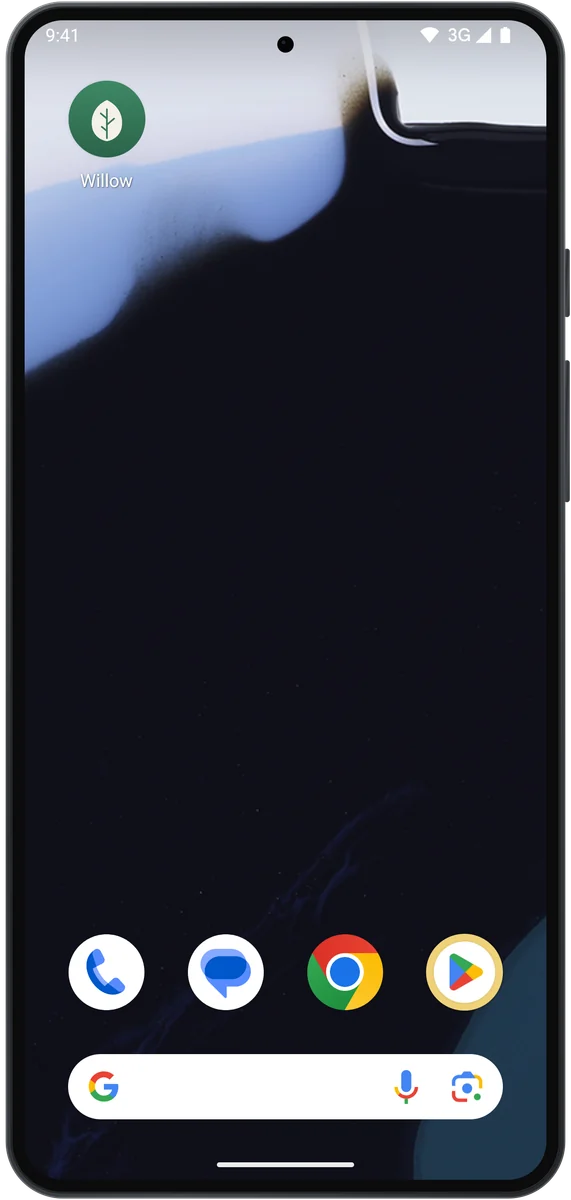
Your icon sits on the home screen, beside the apps your patients open every day.
Patient app
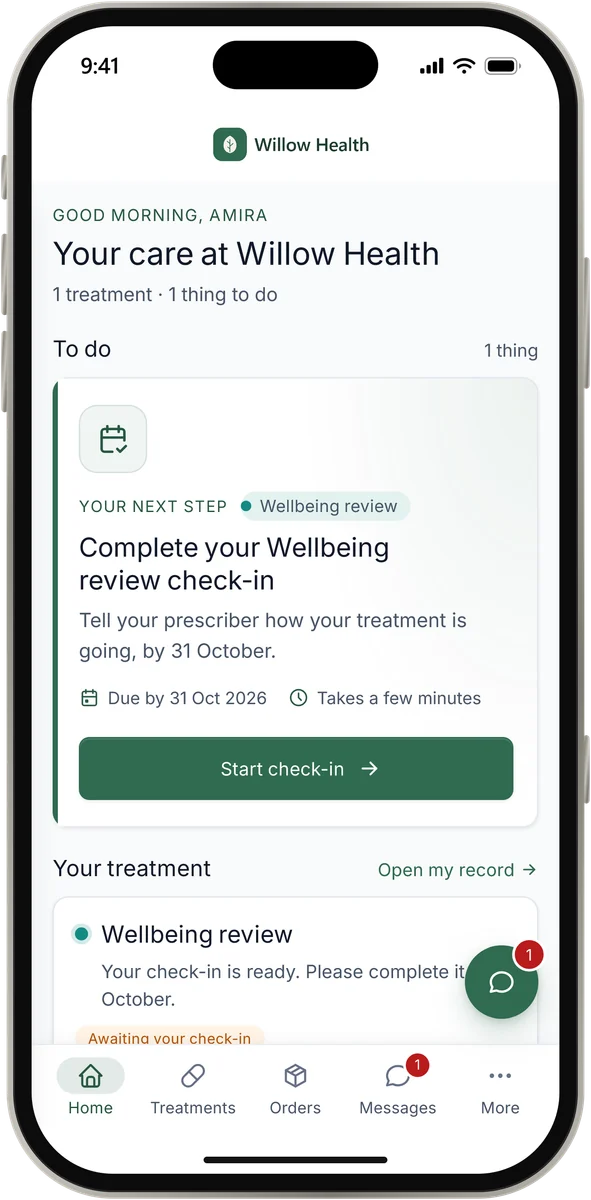
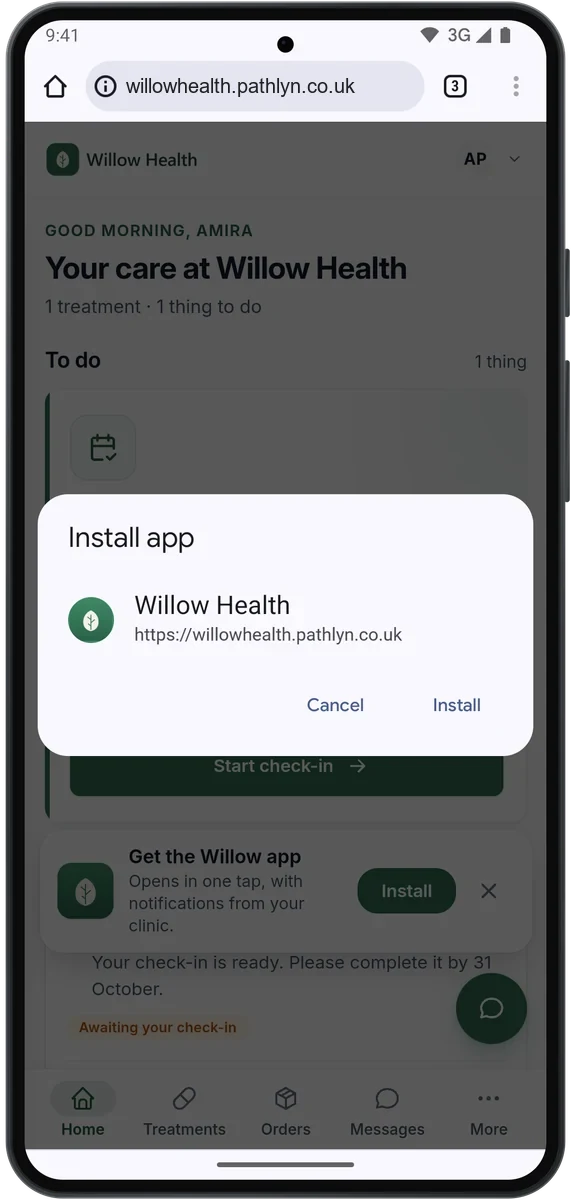
Patients install your portal as an app, with your name and icon, straight from their phone’s browser. They open it with their face, fingerprint or a PIN, and your clinic reaches them with notifications that never show anything private.
Install
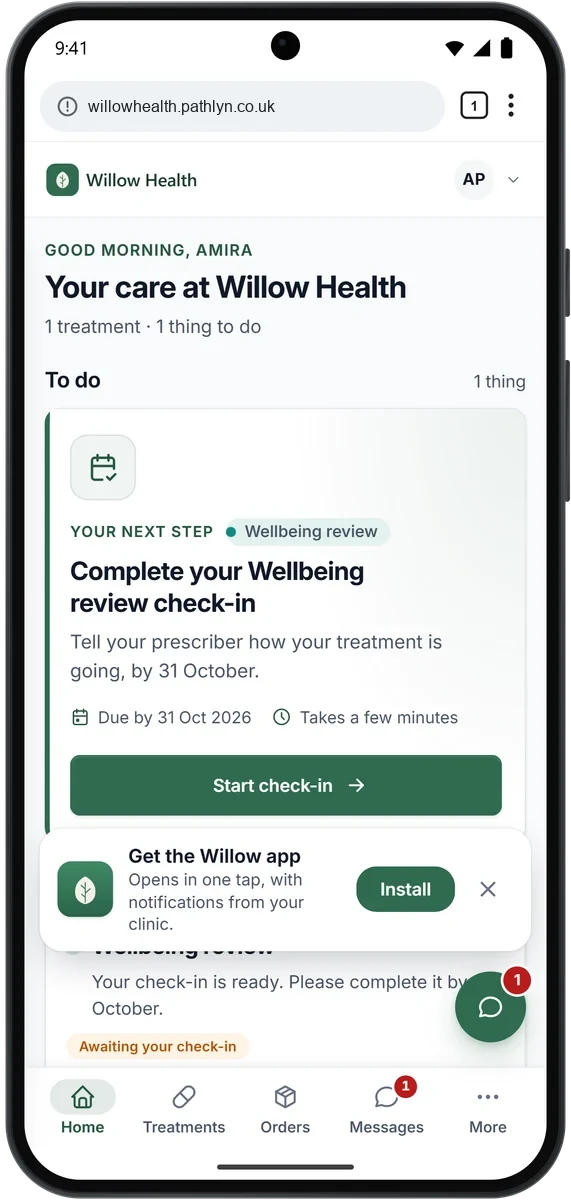
Your portal offers the app on the patient’s home page, never in the middle of a questionnaire, checkout or video call. There is nothing to search for in a store.
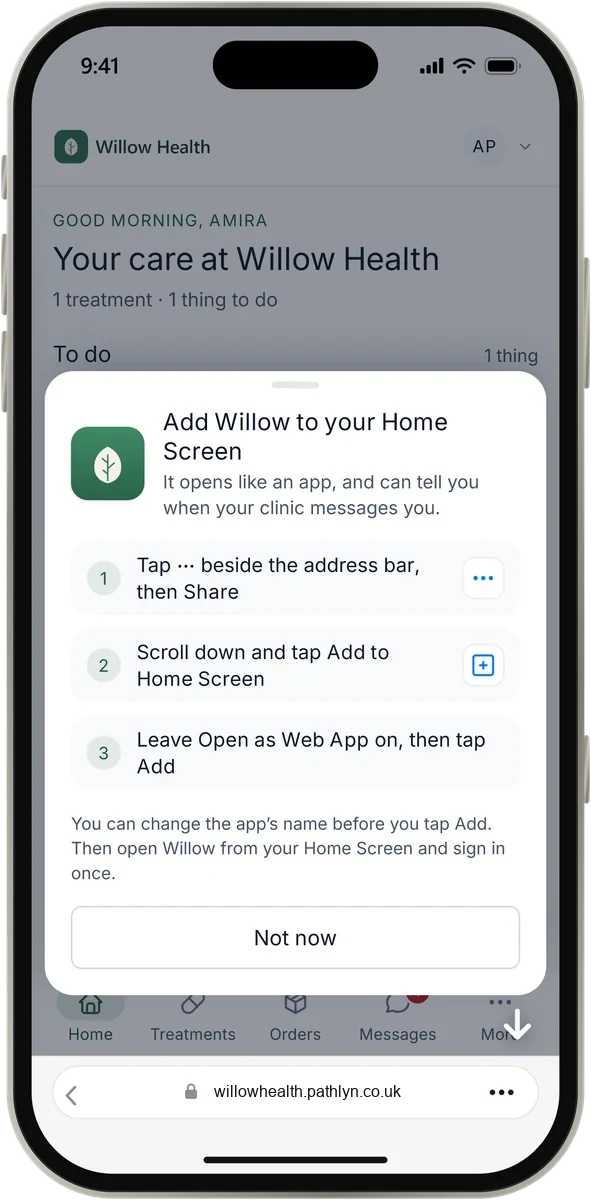
Patients who would rather not install it keep using your portal in any browser.
Quick unlock
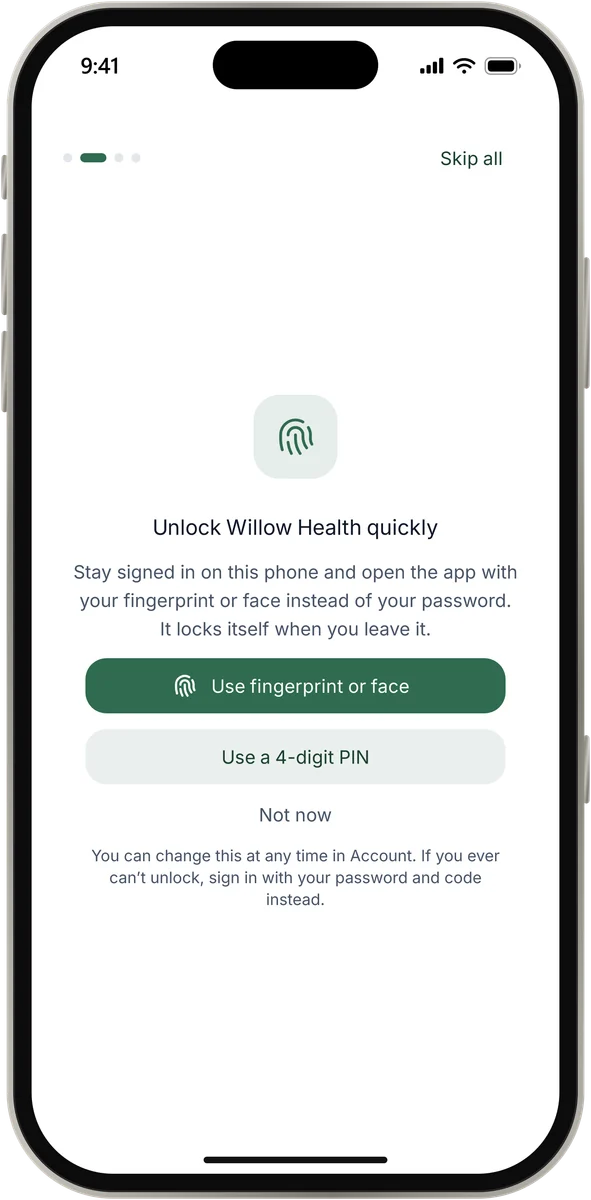
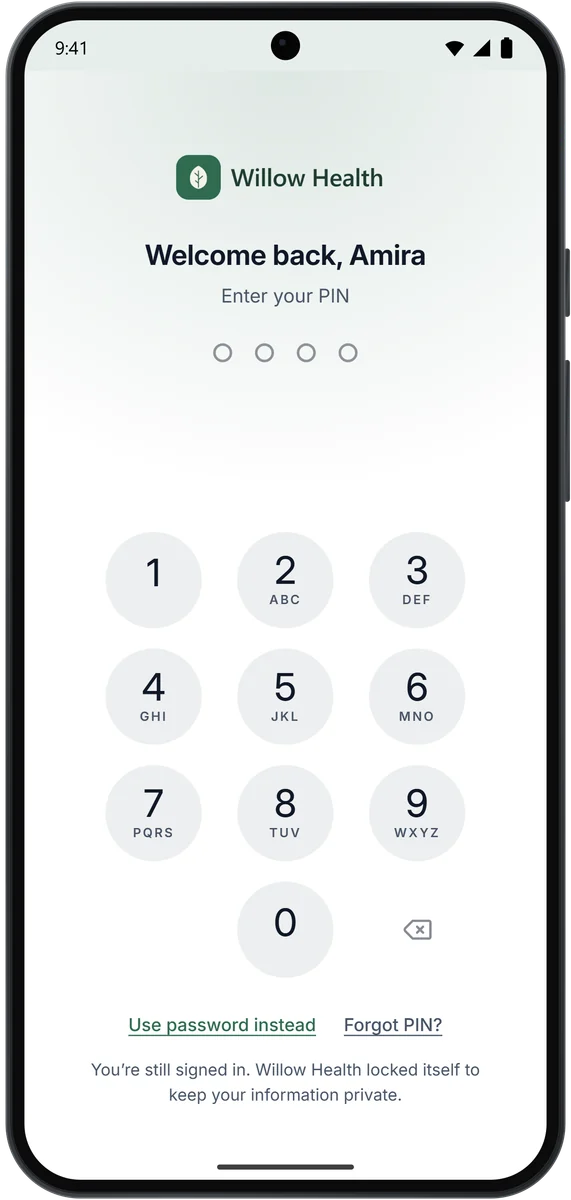
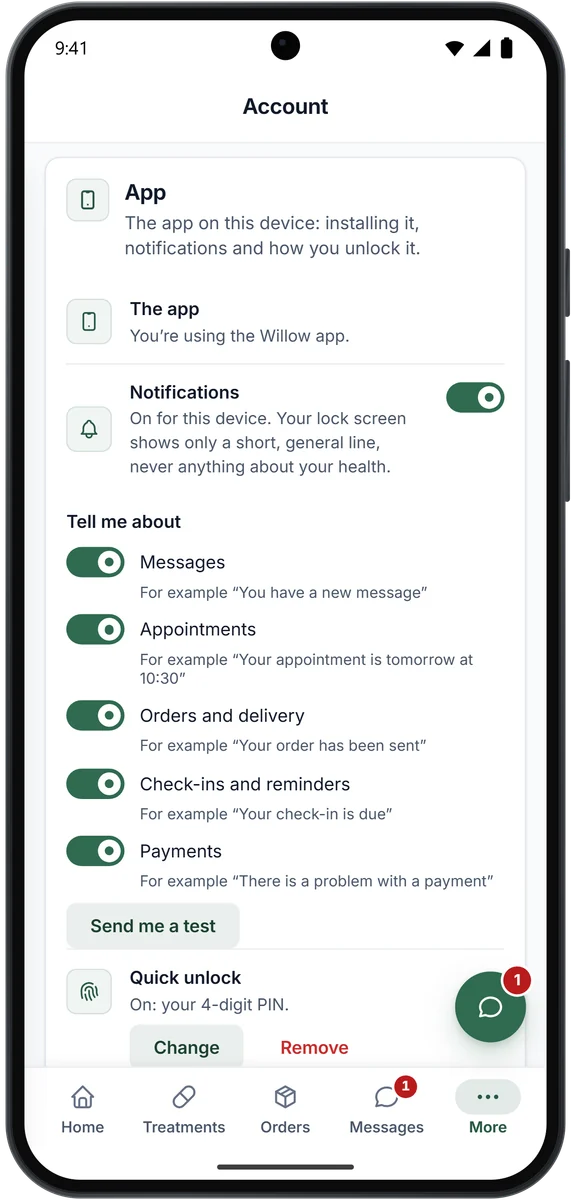
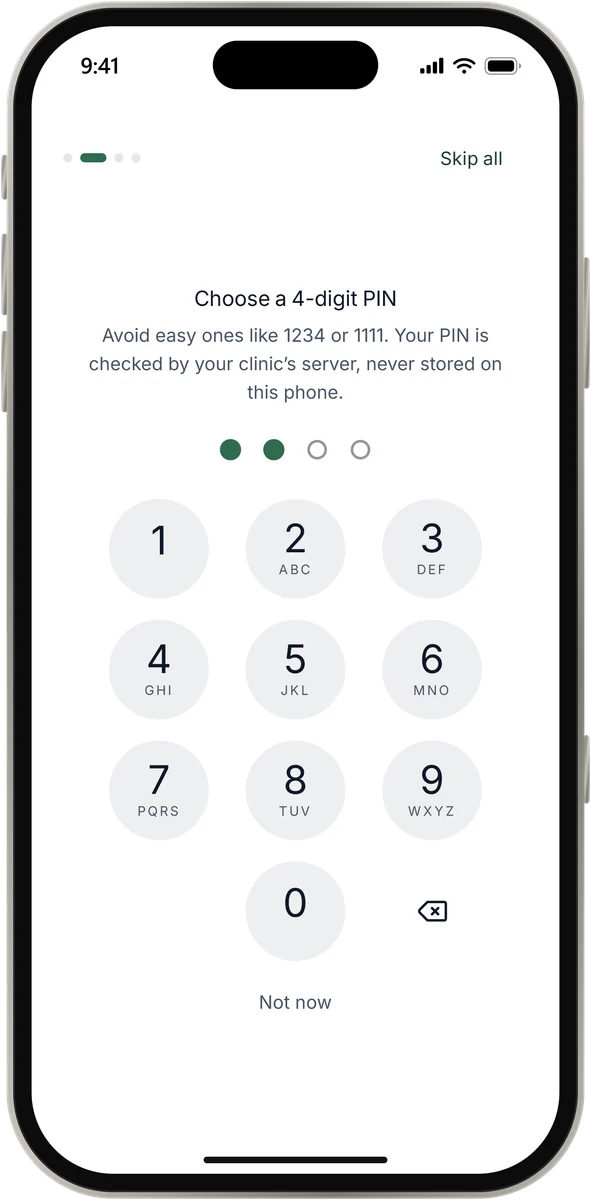
Patients stay signed in on their own phone. The app locks itself when they leave it, and opens again with their face, fingerprint or a 4-digit PIN.
Notifications
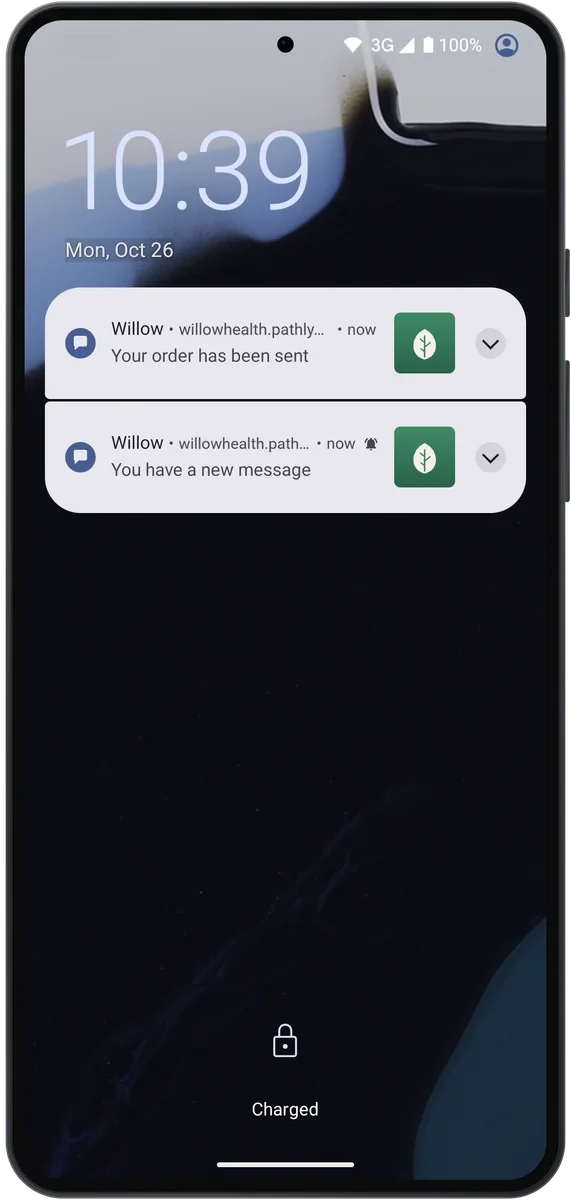
Patients hear about a new message, an appointment, a check-in or their order as it happens. The lock screen shows a few fixed words under your app’s name. Anything clinical waits behind the unlock.
What a notification can say
Fixed, plain words
Never a medicine, condition, service, result or price. A request reads the same whether it was approved or declined.
The patient chooses
Messages, appointments, orders, check-ins and payments, each on or off, on each phone.
A discreet name, if you need one
If your clinic’s name says what you treat, set another name. It replaces yours under the icon and on every notification.
In the app
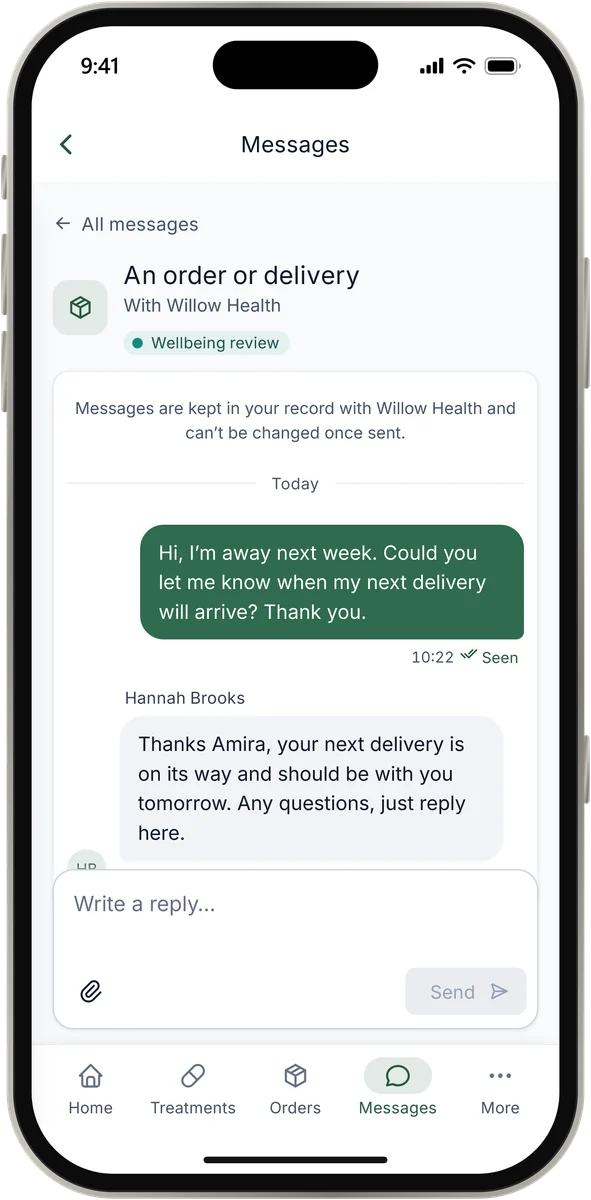
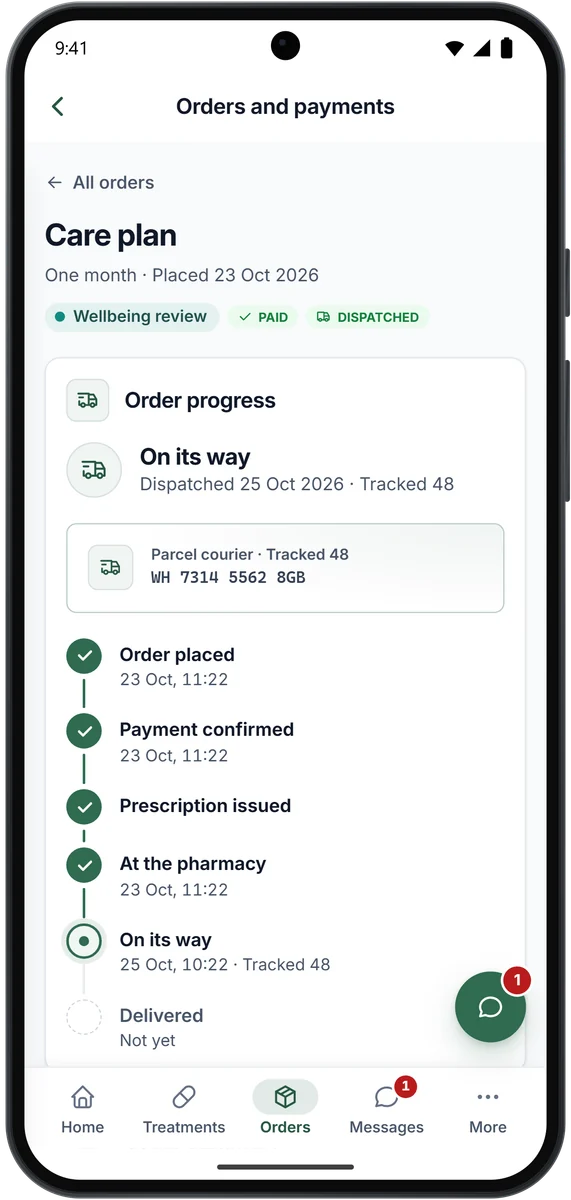
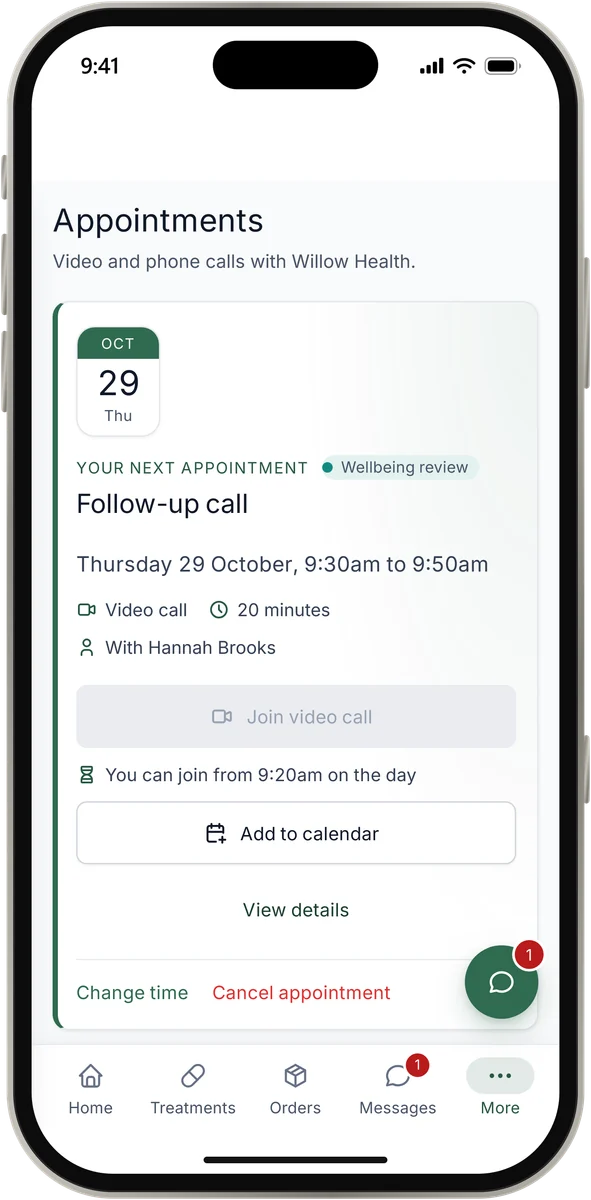
Your clinic’s name across the top, a tab bar along the bottom, a back arrow inside each section and an offline screen when the signal drops. Messages, orders and appointments are a tap away.
For your clinic
Patients keep in touch with the clinic that treats them, in the place they already look.
Your brand on their phone
Your icon sits on the home screen, beside the apps your patients open every day.
Reminders that reach them
Messages, check-ins and appointments arrive as notifications on the phone, not only in an inbox.
Quicker back in
A face, fingerprint or PIN instead of a password and a code each time they open it.
Nothing to build or submit
No developer accounts, store listings or reviews. Pathlyn keeps the app up to date.
Set up
There is nothing to switch on: every clinic’s app is there from the start. Your organisation admin finds the Patient app card under Branding and makes it yours.
Upload your app icon
A square PNG or SVG, at least 512 pixels. Until you add one, the app uses your favicon if it is large enough, or Pathlyn’s icon.
Name it
The short name under the icon, up to 12 characters, or leave it blank to use your clinic’s name.
Add a discreet name if you need one
It replaces your clinic’s name on the phone. Your portal still shows your clinic’s name.
Security and privacy
Quick unlock keeps a patient signed in on their own phone without leaving their record open. Pathlyn’s server, not the phone, decides when the app locks and when a full sign-in is needed.
Locks itself
After 5 minutes without use, and when it is opened again after more than a minute away. While it is locked, the server sends no data.
Five tries, then signed out
The fifth wrong PIN ends the session and removes quick unlock from the phone, and a face or fingerprint confirmation Pathlyn’s server rejects counts the same. The phone’s own retries never reach Pathlyn.
The PIN stays off the phone
Pathlyn’s server checks it and keeps only a sealed, slow hash. Easy PINs such as 1234 are refused.
Face and fingerprint stay on the phone
The phone checks them. Pathlyn receives only the phone’s signed confirmation.
A full sign-in in time
After 30 days without opening the app, or 90 days after signing in, the patient signs in with their password and code again.
Signing out clears the phone
Signing out removes quick unlock and turns off your clinic’s notifications on that phone.
Book a demo and we’ll show you the app on a phone, from the install to the first notification.